
For online sellers in Laos
Anyone can have their own online store
Open your storefront at your-shop.haanlao.com with your own logo and colours. Add your products, share the link and take orders.
No card needed · 14 days free · Pay in LAK by bank transfer
What HaanLao does
Sell on your own site and through chat, get paid by transfer and ship with Lao couriers.
Your online store
A storefront at your-shop.haanlao.com with your logo and colours, ready to share on TikTok and Facebook.
Chat orders
Create an order while you chat, then send the customer a private link to pay and track it.
Slip payments
Customers pay by transfer or QR and upload the slip. You approve them in one queue, with BCEL OneProof checks.
Products and stock
Variants such as colour and size, bulk import from Excel, and stock reserved the moment an order is placed.
Campaigns and promotions
Campaign links, discounts, flash sales with a countdown and banners on your storefront.
Shipping and returns
Ship with Lao couriers such as Anousith, HAL and Mixay, and scan parcels when they go out or come back.
Reports
Sales, product and stock reports with CSV export.
Team and permissions
Staff accounts with roles and permissions, and a log of who changed what.
What your customers see
Customers order from their phone in a few taps. No app, no account.
 1
1Choose a product
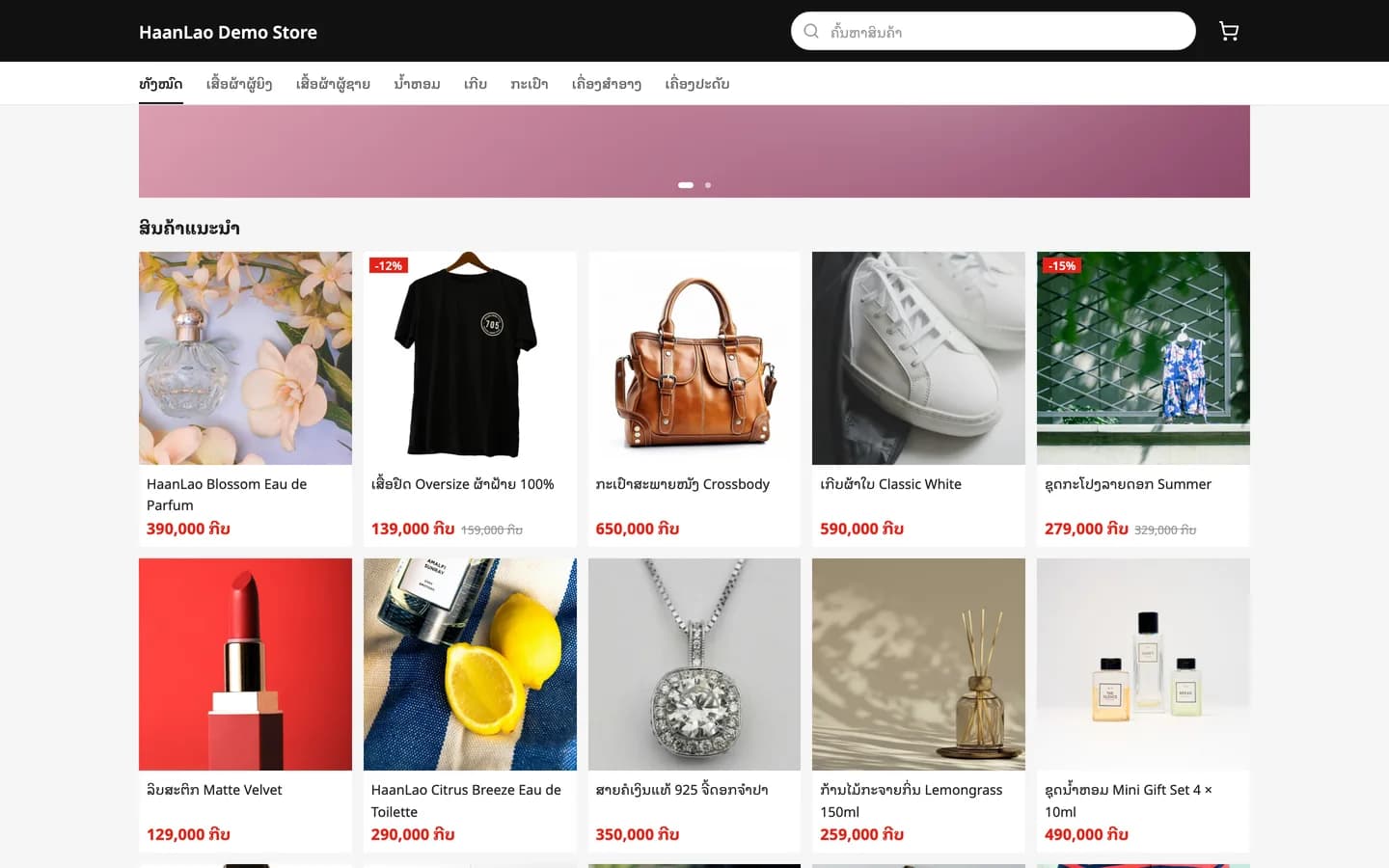
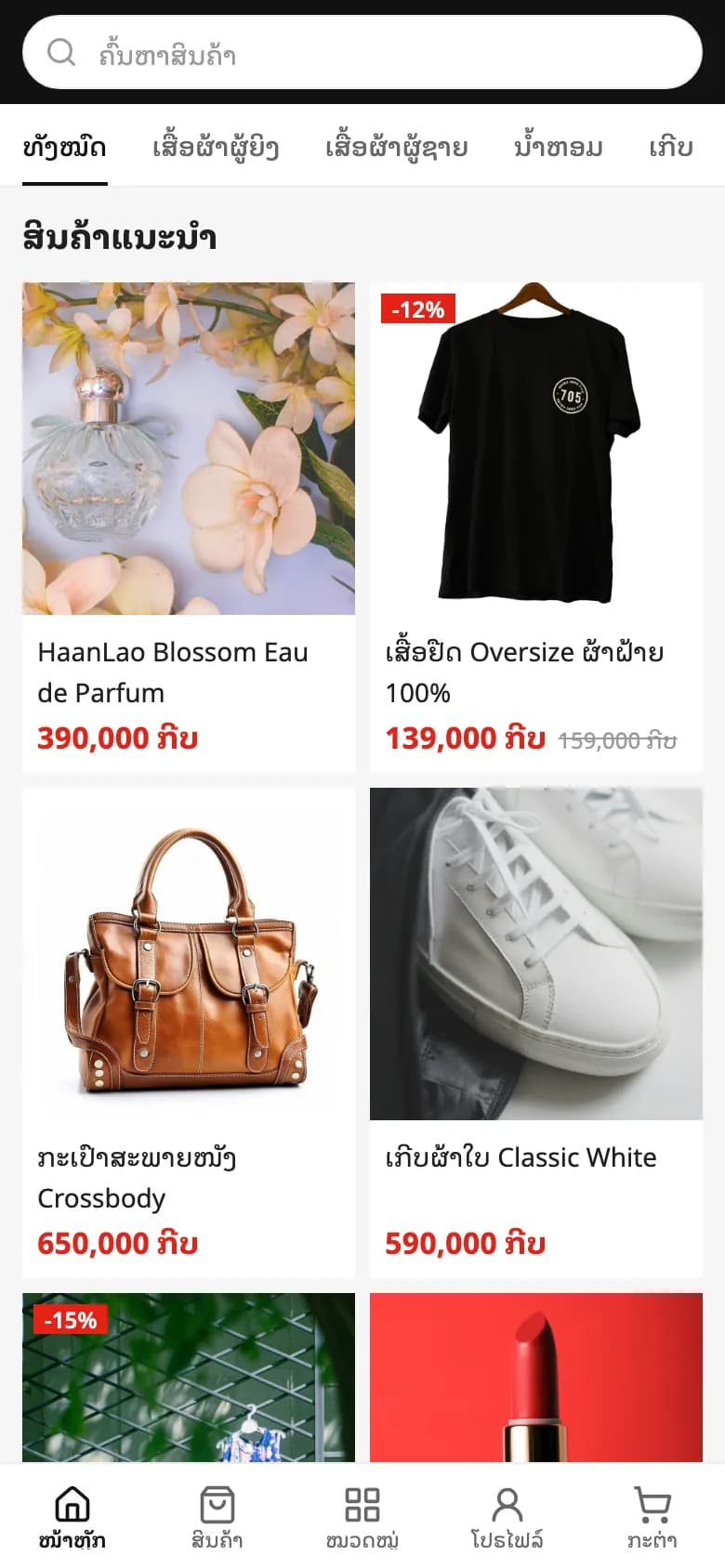
Your storefront shows recommended products, categories and prices, with a product search.
 2
2Check out
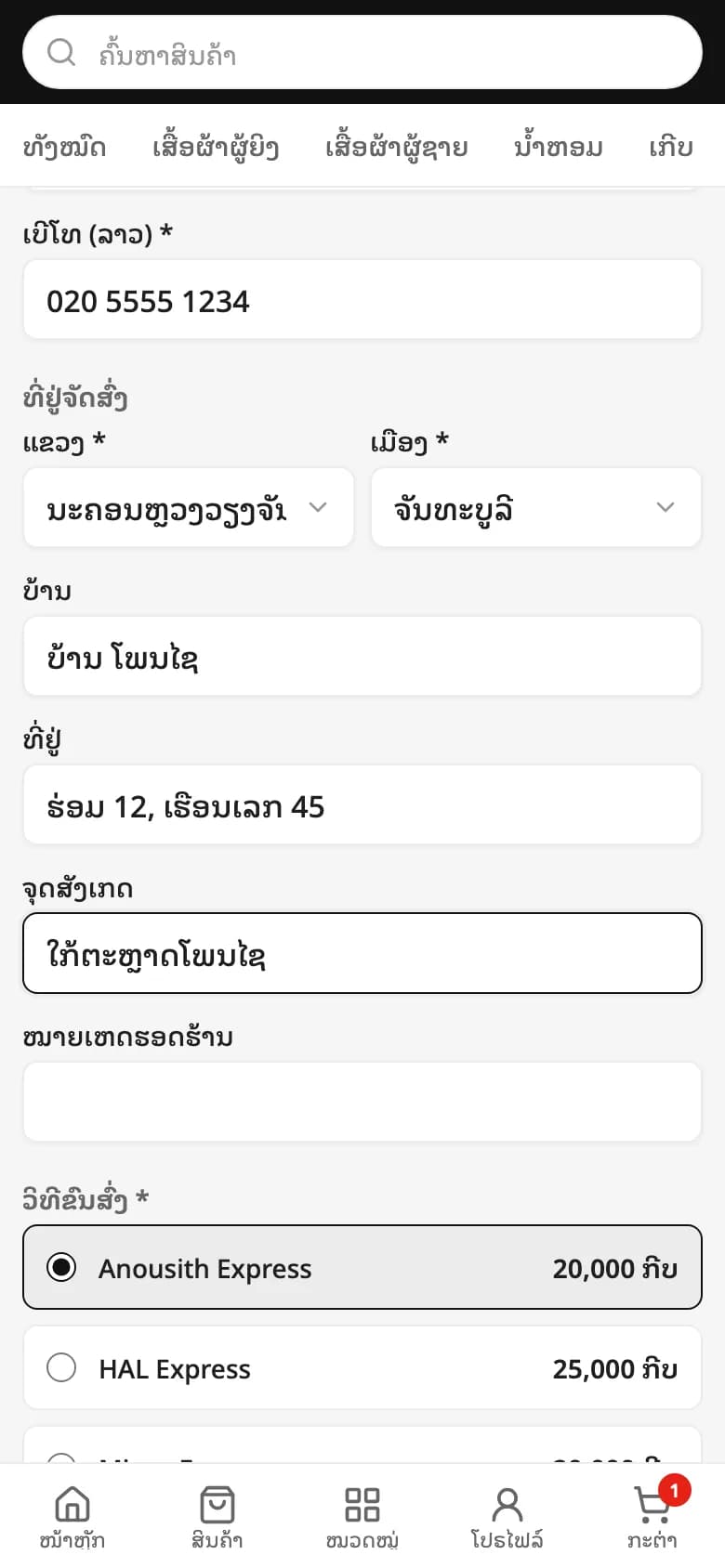
Name, phone and an address by province, district and village, then a delivery method with its fee.
 3
3Pay and send the slip
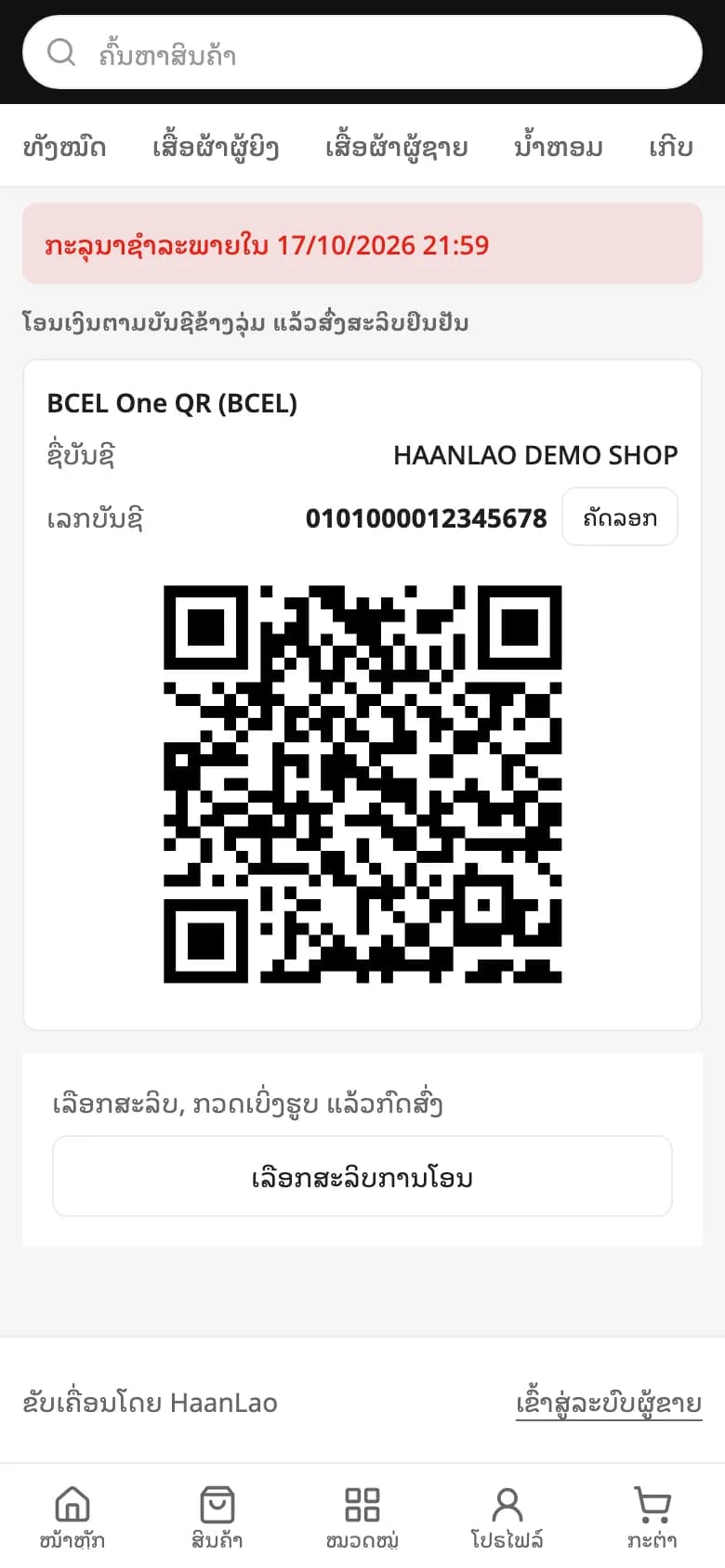
Your bank account and QR are on the order page. The customer transfers, uploads the slip and follows the order there.
Start selling in 3 steps
- 1
Create your store
Choose a name and a web address for your store.
- 2
Add your products
Add them one by one, or import a whole catalogue from Excel.
- 3
Share and sell
Post your store link, take chat orders and get paid.
Prices in LAK
Every store starts with a 14-day free trial. Pay by bank transfer. No card needed.
Free trial
Try what you need before you decide.
Freefor 14 days
- Up to 50 products
- 3 staff accounts
- 500 MB of images
- Reports and CSV export
Basic
For small shops: products, orders, payments and shipping.
150,000 ₭/ month
- Up to 200 products
- 5 staff accounts
- 2 GB of images
Pro
For growing shops: unlimited products and reports.
299,000 ₭/ month
- Unlimited products
- 20 staff accounts
- 20 GB of images
- Reports and CSV export
Enterprise
For larger businesses: no limits, contract pricing and an optional dedicated system.
Contract price
- Unlimited products
- Unlimited staff accounts
- Unlimited image storage
- Reports and CSV export
How billing works
14 days free
Every new store starts free, with no card or payment. If you have not chosen a plan when the trial ends, your store pauses; your products and orders are kept.
Pay in LAK by transfer
Pay by bank transfer. The HaanLao team confirms your payment and activates your plan.
7 days of grace
If you renew late, your store keeps taking orders and you can still handle them for 7 days. Other changes in the admin wait until you renew.
Change plan any time
An upgrade applies straight away; a downgrade starts at the end of your current period. Contact the HaanLao team to change plan.
Questions about using HaanLao
How do customers order?
Customers open your store link, add products to the cart, then enter their name, phone, address (province, district, village) and pick a delivery method. No account needed. After ordering they get a private order page to pay and follow the order.
How does my store get paid?
Set up your bank account and QR code. Customers transfer, then upload the slip on their order page. You approve it or reject it with a reason, and BCEL slips can be checked with OneProof. You set how long customers have to pay; unpaid orders expire after that.
Can I take orders from Messenger or chat?
Yes. Your staff create the order in the admin, pick products and options such as colour and size, then send the customer a link to pay.
How is stock managed?
Stock is reserved as soon as an order is placed, and sold-out items cannot be ordered. Receive stock by scanning SKUs, get a warning when stock runs low and see every stock movement.
How does shipping work?
Set your own delivery methods and fees, print shipping labels in batches, add tracking numbers, and scan parcels as they ship out and come back.
How do campaigns and promotions work?
Create a campaign link with special prices. Customers who open it keep that price for up to 7 days, and their orders are credited to the campaign in your reports. There are also discount codes and flash sales.
Can my staff help run the store?
Yes. Create staff accounts with roles and permissions, and see who changed what.
Claim your store's web address
Type your shop name to reserve your link, then set up your store during the 14-day free trial.
- No card needed
- 14 days free
- Pay in LAK by bank transfer